
Overview
Reminders on the schedule help you stay on top of key tasks so there are no disruptions in your workflow.
There are two types of reminders built into the schedule:
- Quote reminders: Reminds you and your team to manually follow up on quotes that haven’t yet been approved by your clients.
- Invoice reminders: Reminds you and your team to create invoices for jobs that have been completed and don’t yet have an invoice.
These are turned on by default, but can be hidden from view if you prefer to track those stages of your workflow elsewhere. To adjust the visibility of reminders in your schedule, use the Type filter and deselect “Reminders”.
Quote reminders
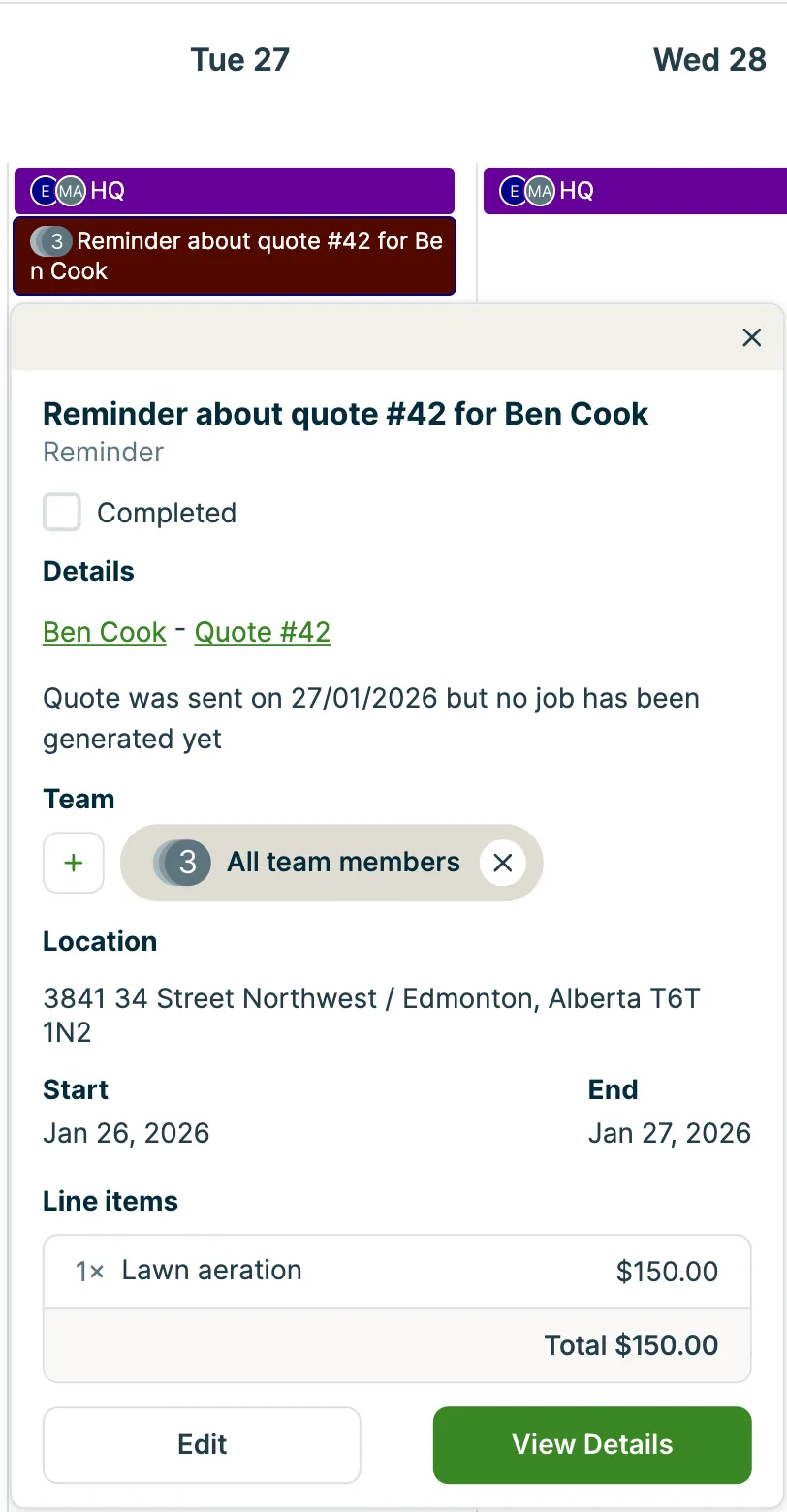
Quote reminders show up in the schedule when a quote has not been approved by a client after a specified number of days that you can adjust in your Work settings. These differ from quote follow-ups, which are only available on select plans and are sent to clients at custom intervals to remind them and encourage them to move forward with the work.
Learn more about quote reminders
Invoice reminders
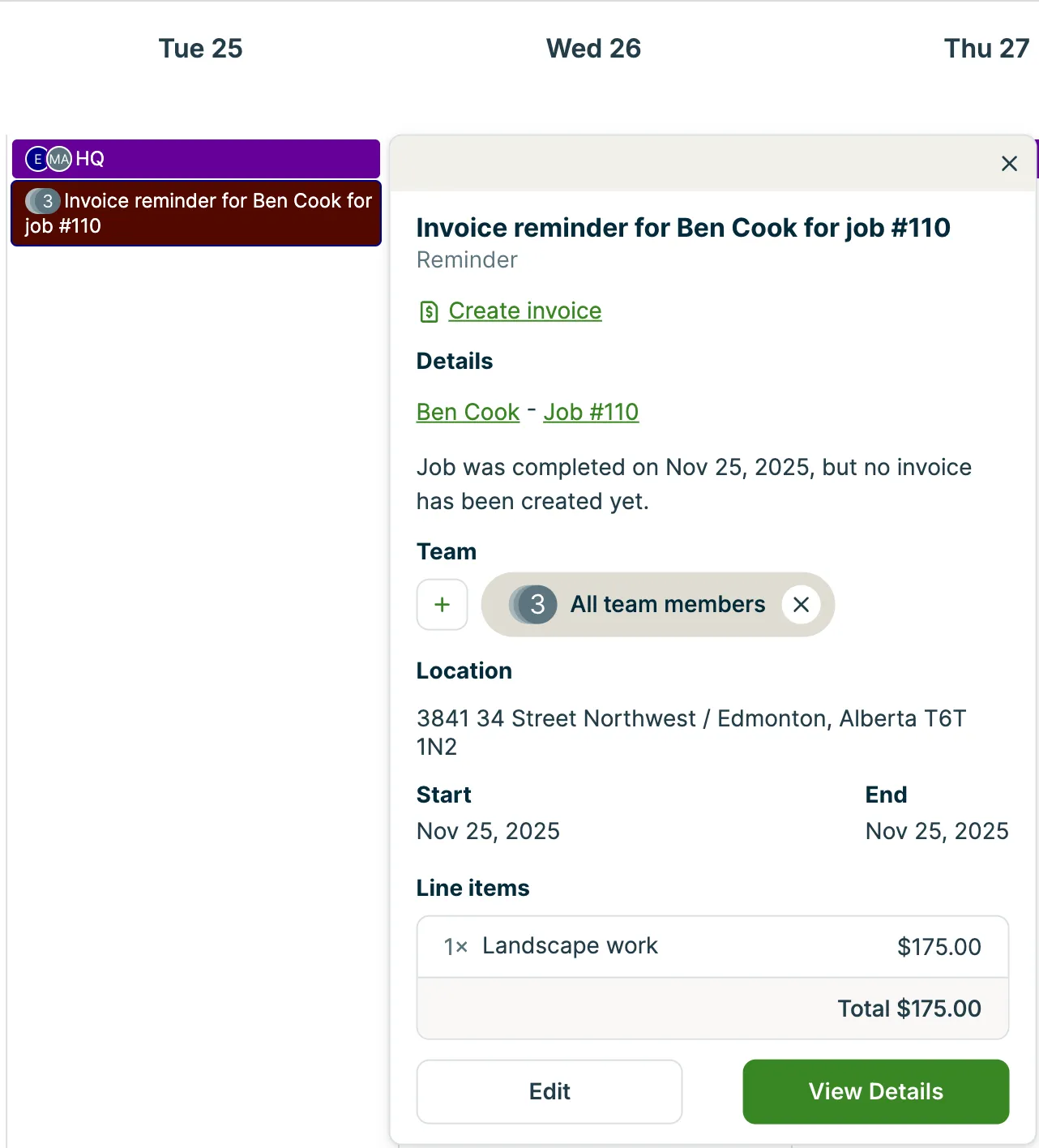
Invoice reminders are automatically generated based on your selections in the billing section when you create or edit a job.
For one-off jobs, you’ll see a checkbox option to generate an invoice reminder once the job has been completed:

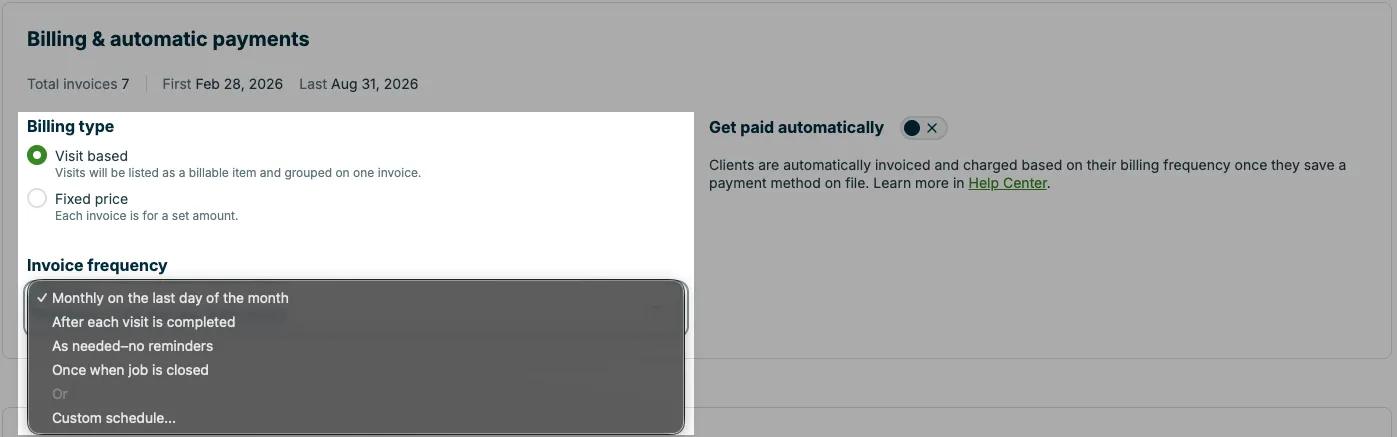
For recurring jobs, when an invoice reminder appears will depend on your selected invoice frequency:
We recommend setting up invoice reminders so that you don’t risk missing out on collecting payment from your clients in a timely manner. If you find your schedule view too cluttered with invoice reminders, instead of deleting them, use the Type filter at the top of the schedule to hide them from view.
Learn more about invoice reminders