
Overview
The Top Performing Sources insight in Jobber Central, a dashboard that helps multi-location businesses track performance across their locations. The top performing sources insight shows which lead sources are bringing the most value to your business. It helps you understand where your leads are coming from and which marketing channels are generating the most revenue or new opportunities.
Jobber Central aggregates this information across all connected locations, giving you a high-level view of which lead sources are performing best across your organization.
This insight can help you identify which marketing channels are working well so you can focus your efforts on the sources that generate the most business.
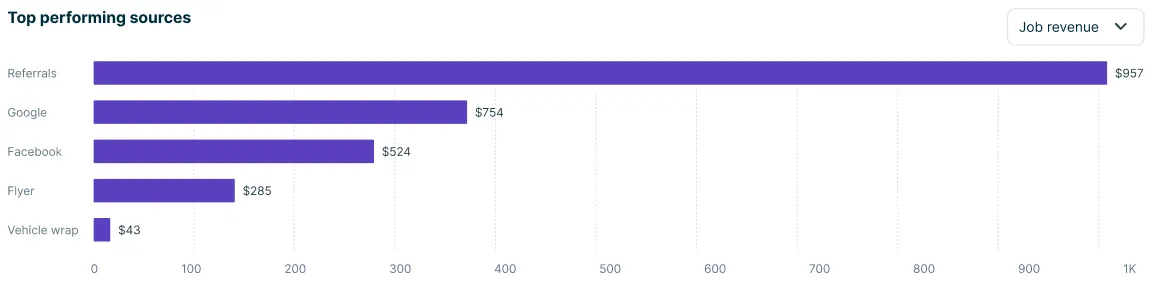
Switch between job revenue and leads
To navigate to the top performing sources, select the Dashboard tab on the Jobber Central side navigation.
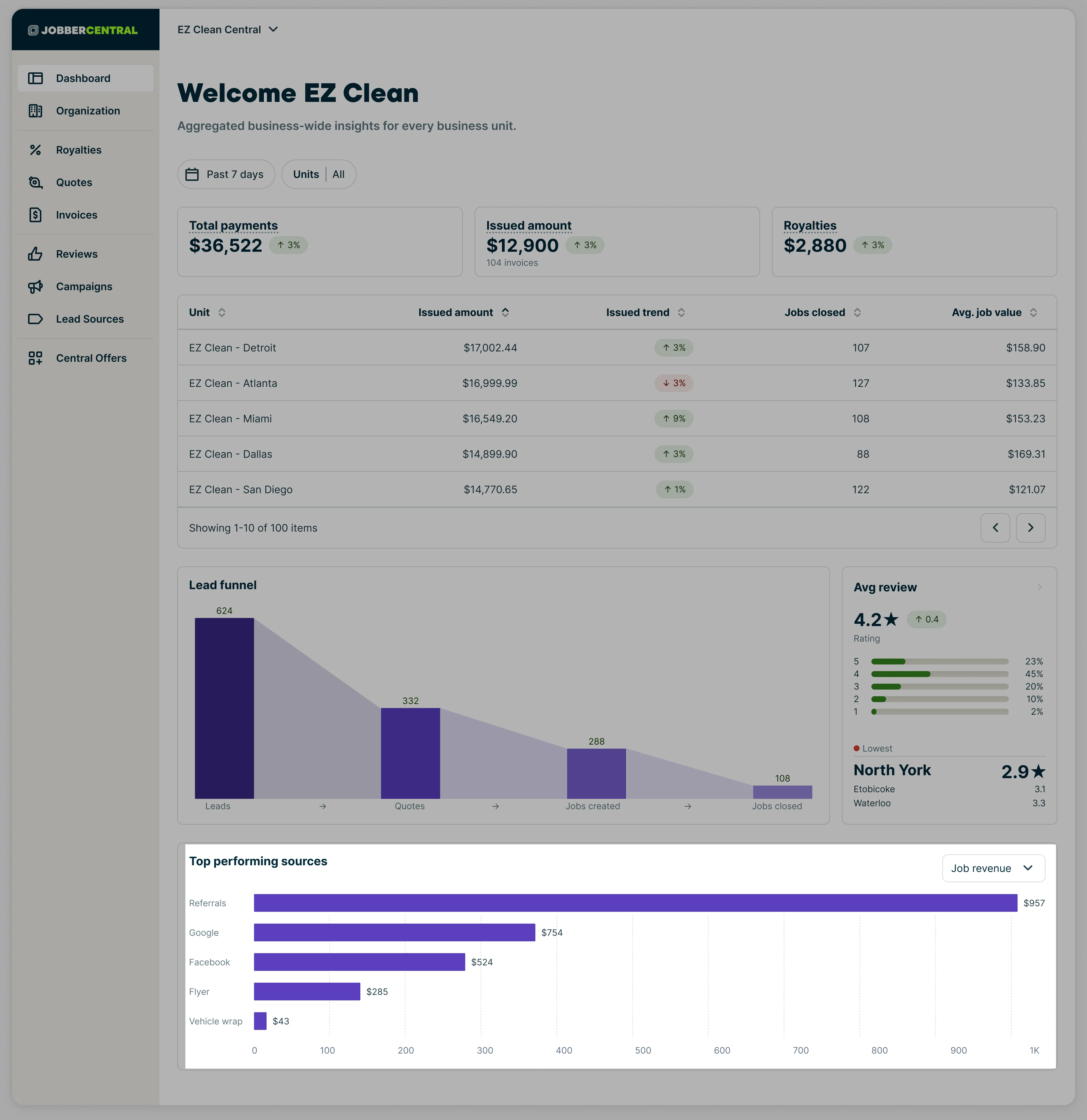
The insight for top performing sources has two options. Use the dropdown menu in the “top performing sources” insight to switch between job revenue and jobs:
Note: Only clients with a lead source are included in this insight. If the lead source field is left blank, those clients won’t appear in the report.
Job revenue
The Job revenue view shows the total revenue generated from the first job for each client associated with a lead source.
This insight looks at clients whose first job was created within the last 90 days and groups that revenue by the client’s lead source.
To appear in this insight:
-
The client must have the Lead source field filled out
-
The client must have had a job created within the last 90 days
This view helps you understand which lead sources generate the most revenue, not just the most leads. For example, a source that produces fewer leads may still rank highly if those leads convert into higher-value jobs.
Leads
The Leads view shows the total number of leads grouped by lead source.
This insight counts clients created within the last 30 days and groups them based on the Lead source field on the client profile.
To appear in this insight:
-
The client must have the Lead source field filled out
-
The client must have been created within the last 30 days
This view helps you understand which sources are generating the most new leads for your business.
Why tracking top performing sources matters
Understanding which lead sources perform best can help you:
-
Identify the marketing channels that generate the most revenue
-
Understand which sources bring in the most leads
-
Make informed decisions about where to invest marketing time and budget
-
Compare marketing performance across locations
Because Jobber Central aggregates this information across locations, it provides a quick way to spot trends in your lead generation strategy.