
Overview
This article covers how to move visits on Jobber’s legacy schedule. On Jobber’s new schedule, the Reschedule and Reassign tool is used to move visits. Learn more about moving visits on the new schedule.
New Schedule Coming Soon
We’re introducing a new schedule to make managing your calendar faster, clearer, and more efficient. With fewer clicks, less clutter, and smarter tools, scheduling and tracking jobs is easier than ever.
Behind the scenes, we’ve also improved the technology to boost performance and reliability, making the schedule faster and more responsive.
Try the new schedule
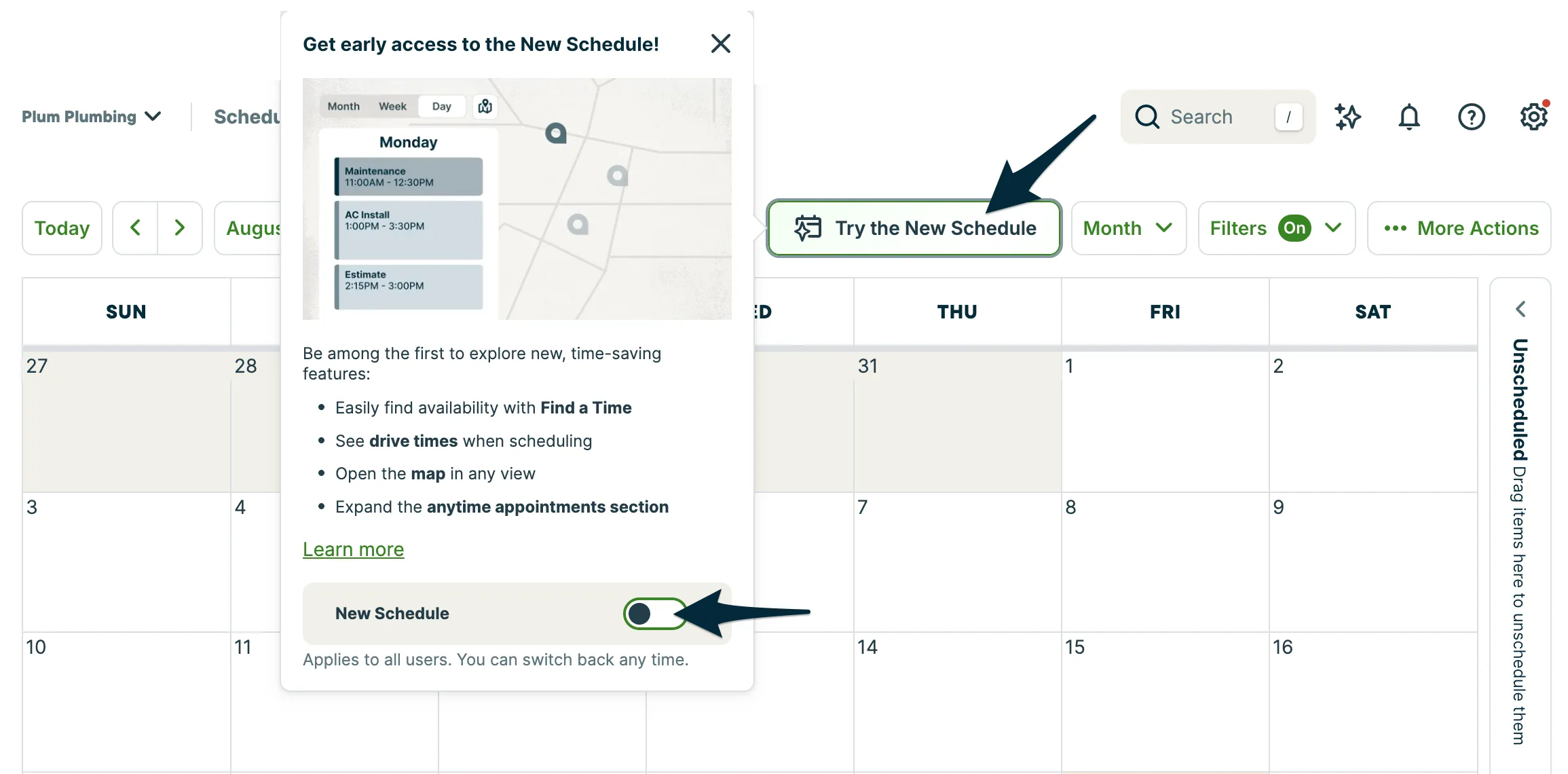
The new schedule is available to try before it officially rolls out later this fall. To turn it on, go to the Schedule tab from the side navigation. From there, select Try the New Schedule and toggle on New Schedule.
During this early access period, you can switch between the current schedule and the new schedule as you get used to the changes. Once the rollout is complete, everyone will be moved to the new schedule.
Moving visits allows you to shift visits that you can’t complete on a given day to another one. You might need to move a day’s worth of visits in case of inclement weather, or last-minute scheduling changes, like a team member calling in sick.
How to move visits
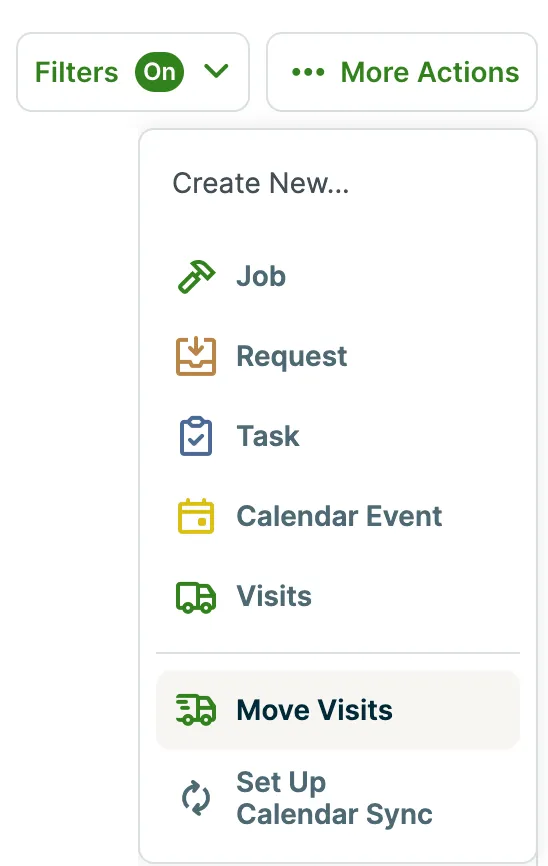
Visits can be moved from any of the schedule views (month, week, day, map, or list). From the More Actions button, click Move Visits.
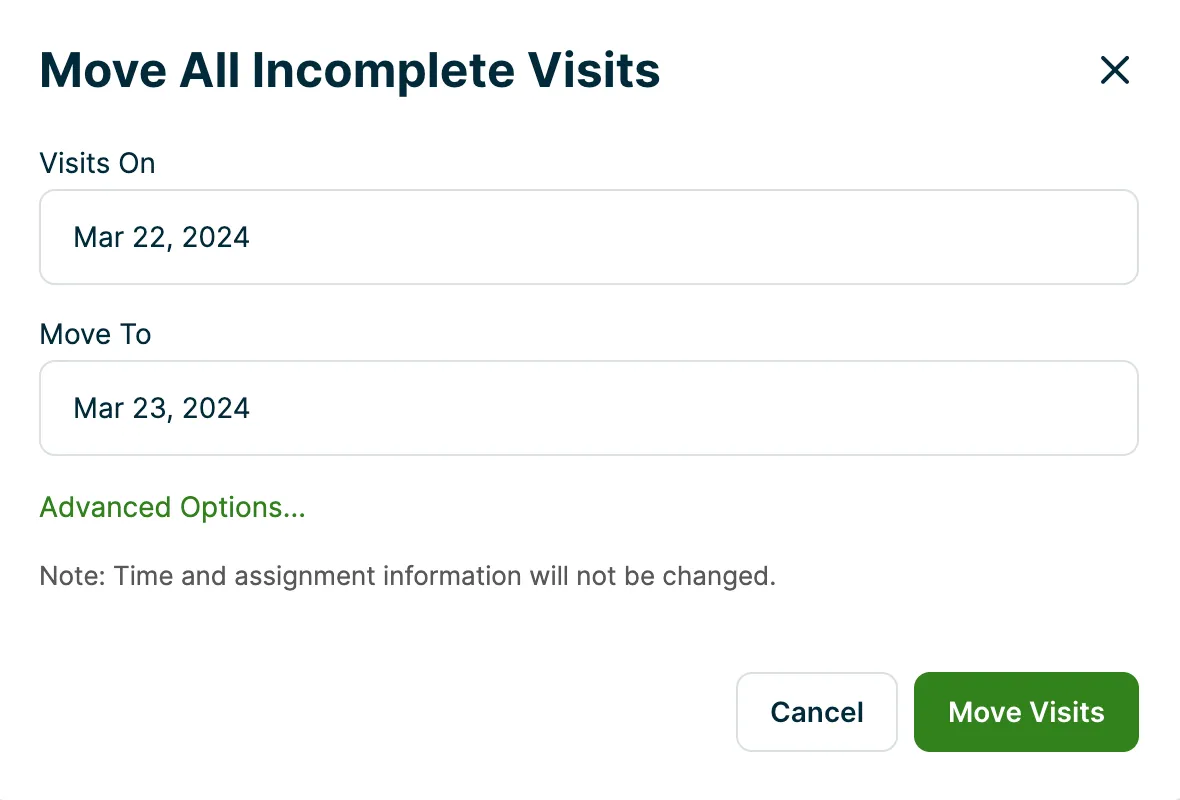
This will open a popup where you can select which dates you’re moving visits from and to:
Clicking Advanced Options in the popup box will allow you to filter the visits you would like to move by user, and choose to move unassigned visits as well.
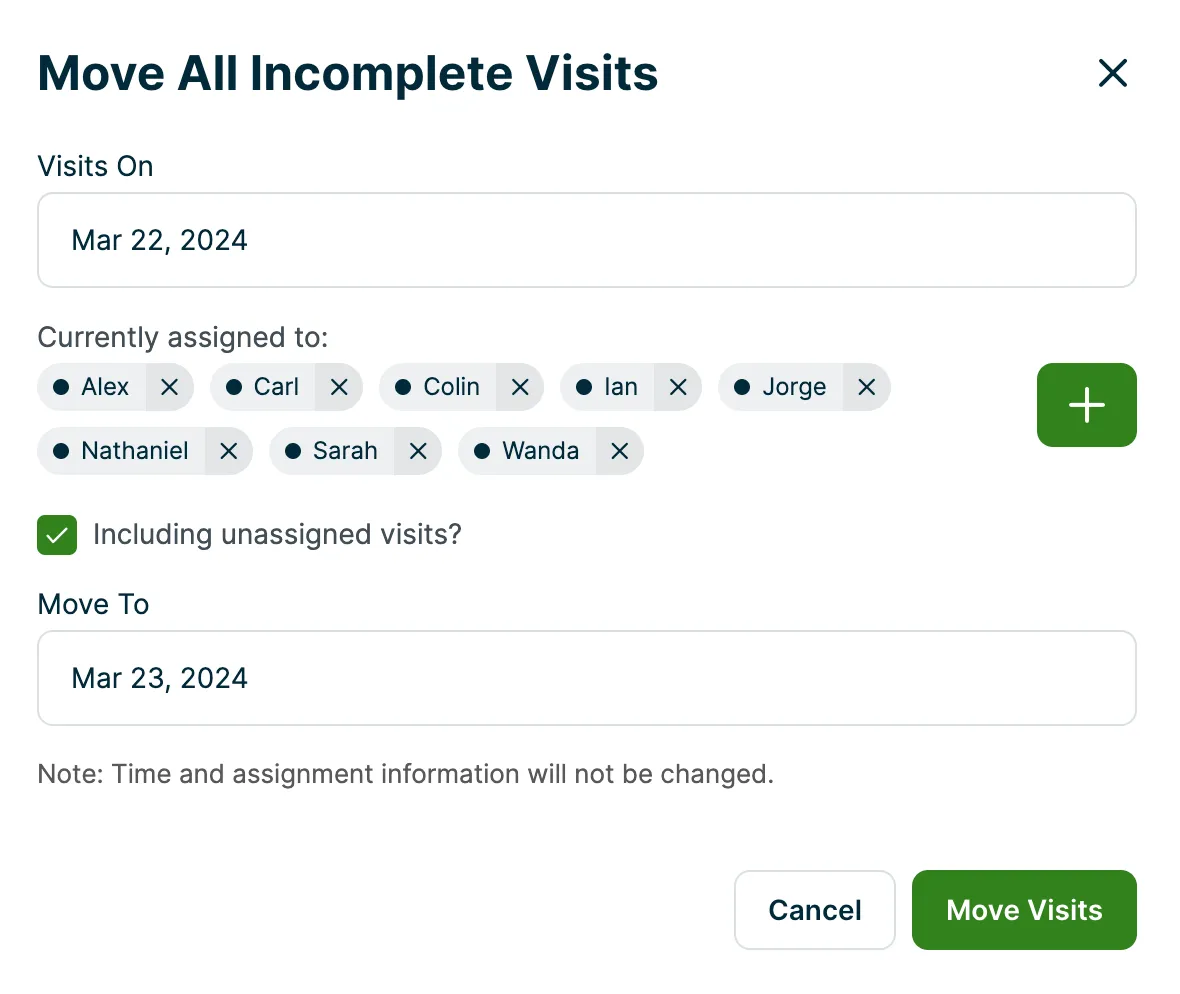
When you’ve finished inputting your information, click Move Visits to shift your visits over.
Note: Visits will not move if there is a duplicate of another visit on the day that you’re shifting to.
For example, if you’re moving incomplete visits from this Friday to next Monday, but have a job that has a scheduled visit on both Friday and Monday already, you won’t be able to move visits from Friday to Monday.