
In This Article
Overview
With over 20 built-in reports, you’ll know exactly how your business is doing. Learn more.
The client re-engagement report shows the clients who have not had a job closed in the last 12 months. You can use this report as a tool to flag which clients fall into this category so they can be re-engaged so you can win more work.
The client re-engagement report is found under Insights > Reports > Client Reports.
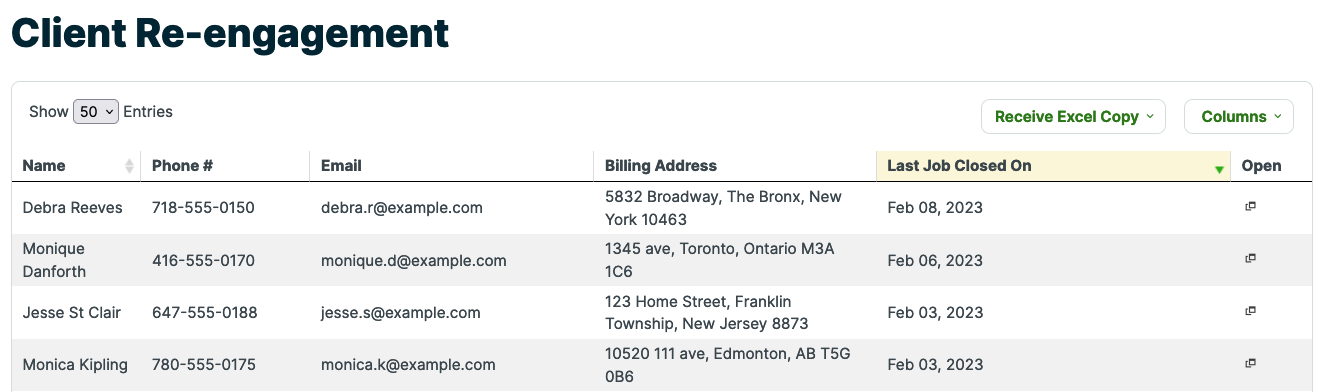
Columns
This report has six columns:
- Name: This is the client’s name.
- Phone #: This is the client’s primary phone number.
- Billing Address: This is the billing address for the client including street address, city, state, and zip code.
- Last Closed Job: This is the date of the client’s last completed job. It’s possible that they might have an ongoing recurring job that has yet to be closed.
- Open: Clicking the icon in this column will open the client’s profile.
Re-engaging your clients
After identifying the clients that an be re-engaged with this report, the next step is to follow-up with them. You can follow-up with your clients individually or the follow-up can be automated with our Mailchimp integration. Using Mailchimp will allow you to set up an email campaign that will target these clients.